Documentation
Add README.md
Creating a README.md file is an essential part of any project, as it provides users with important information about your package, including how to install, use, and contribute to it. Here’s an example of what a README.md file might look like for our HelloWorldPackage.
# HelloWorldPackage

A simple PHP package that returns "Hello, World!".

## Installation

You can install the package via Composer. Add the following lines to your `composer.json`:

```json
{
    "require": {
        "ajeya/hello-world-package": "1.0.0"
    }
}
Publish Your Package (Optional)
Uploading project to GitHub
Initialize Git Repository
git initAdd .gitignore
add .gitignore file in root of the package path. It specifies intentionally untracked files that Git should ignore.
# Ignore Composer's vendor directory
/vendor/

# Ignore Composer's lock file
composer.lock

# Ignore PHPUnit result cache
.phpunit.result.cache

# Ignore IDE-specific files
/.idea/
/.vscode/
/nbproject/

# Ignore OS-specific files
.DS_Store
Thumbs.db
Push to GitHub
Initialize a git repository, commit your code, and push it to GitHub.
git commit -m "Initial commit"
git remote add origin https://github.com/ajeyapaul/hello-world-package.git
git push -u origin main
#replace ajeyapaul/hello-world-package with your vendor name and package name
Add Tag
Tags are often used to mark specific points in your project’s history as important milestones, such as releases. This is crucial for versioning, allowing you and others to identify which version of the software they are using or referencing.
git tag -a v1.0.0 -m "Release version 1.0.0"
git push -u origin main
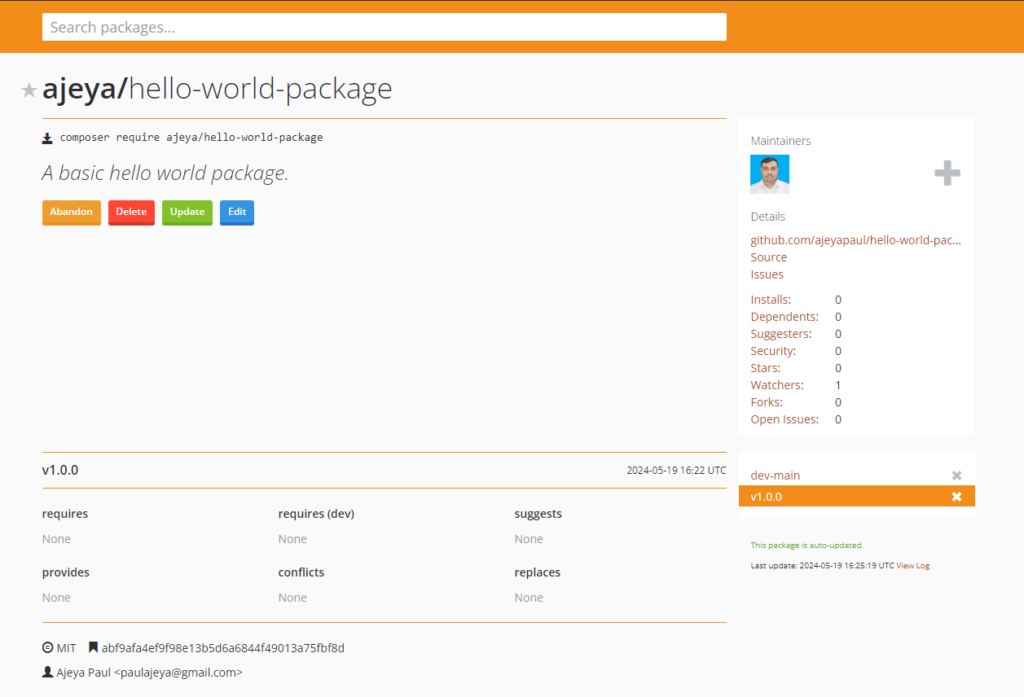
Submit to Packagist
Submit your package to Packagist, the default Composer package repository. Follow the instructions to submit your repository URL.
Submit Repository
Go to https://packagist.org/packages/submit and check if the desired name is available or not.
If the name is available submit it
After a short time the package will be available for use.