
Initialize Composer
Initialize Composer: Run the following command to create a composer.json file.
PowerShell
composer init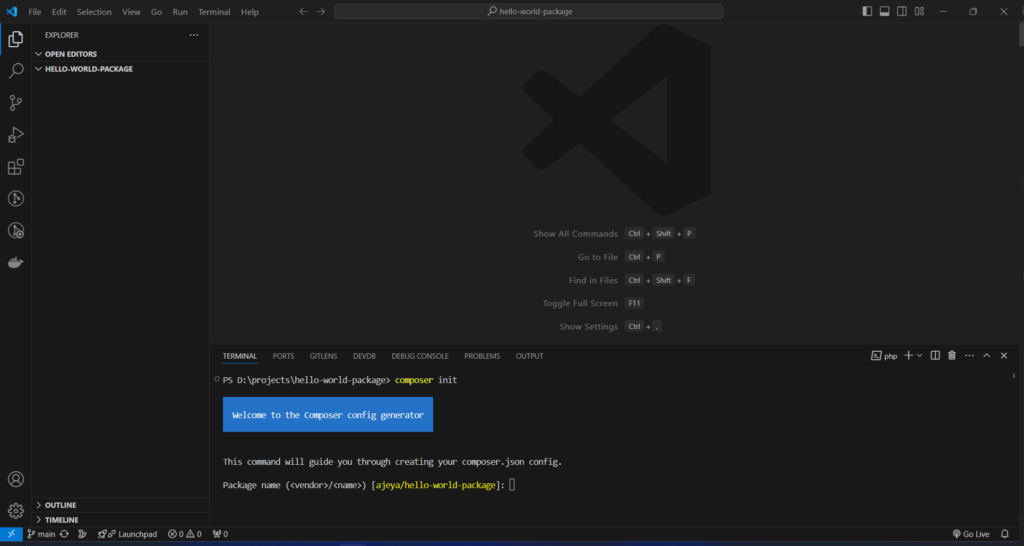
Follow the Prompts: You’ll be prompted to provide information about your package (name, description, author, etc.). Provide the necessary details.
| Package name (<vendor>/</name>) | your_name/package_name |
| Description [] | Your Package description |
| Author | Your name and Email |
| Minimum Stability [] | dev |
| Package Type (e.g. library, project, metapackage, composer-plugin) [] | library |
| License | MIT |
| Would you like to define your dependencies (require) interactively | no |
| Would you like to define your dev dependencies (require-dev) interactively | no |
| Add PSR-4 autoload mapping? | src/ |
| Do you confirm generation | yes |
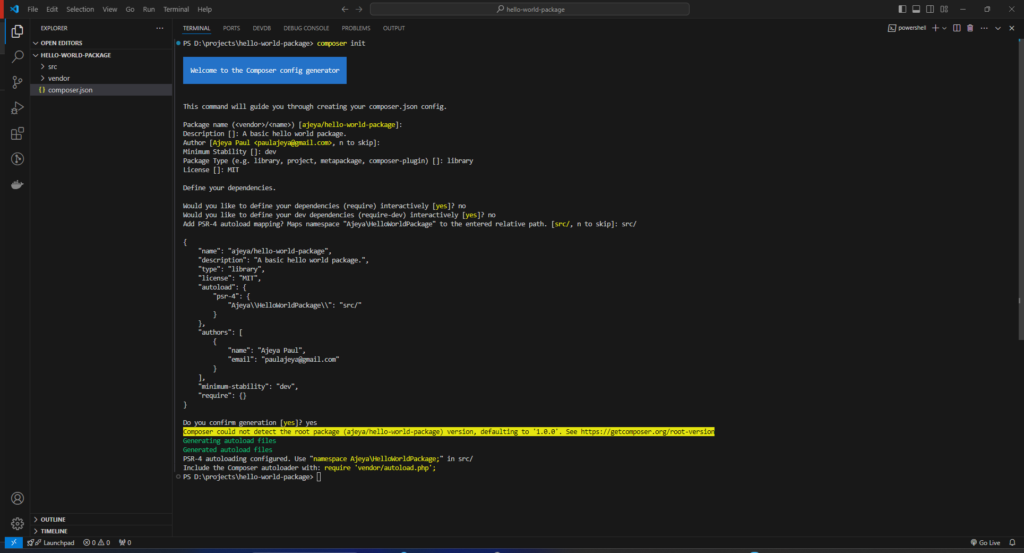
After the confirmation you will get a following files and folders
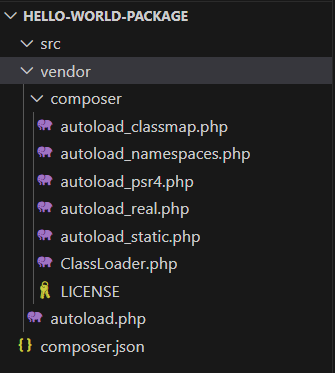
composer.json
{
    "name": "ajeya/hello-world-package",
    "description": "A basic hello world package.",
    "type": "library",
    "license": "MIT",
    "autoload": {
        "psr-4": {
            "Ajeya\\HelloWorldPackage\\": "src/"
        }
    },
    "authors": [
        {
            "name": "Ajeya Paul",
            "email": "paulajeya@gmail.com"
        }
    ],
    "minimum-stability": "dev",
    "require": {}
}